
Like many people these days, I’m obsessed with Claude Cowork.
Anthropic announced it earlier this year, just days before I got a call from Inman reporter Nick Pipitone for a story about how real estate professionals are using ChatGPT, Gemini, Claude and Perplexity.
One of the main takeaways from that story was that most real estate professionals were only using AI like an advanced version of Google. Yet for many agents and operators, AI is a tool for listing descriptions, social captions, and email drafts. What began as a writing tool has become a full-fledged assistant, or in my case, a chief of staff.
AI is moving from content generator to team member. The real value is not just getting words on a page faster. It’s seeing work get done in my email, calendar and task manager.
Claude suggested I start with a chief of staff that could scan the places where my work lives, pull out the signal and deliver a morning briefing that tells me three things:
- What needs my attention today
- What deadlines or deliverables are due
- What I should prioritize before the day gets started
The first thing I had to do was upgrade to Claude Pro. I chose the annual plan.
Next, Claude suggested connecting my Gmail, Google Calendar, Slack, ClickUp and Google Chrome browser extension through Claude Connections. We built my first agent, a chief of staff that gives me a succinct daily briefing every morning.
It has become a great addition to my workflow and routines, and hopefully you’ll find it useful, too.
Three days later, I found out my company, Rechat, had been nominated for a Webby through my new chief of staff, not my inbox. That was an exciting moment: My chief of staff was already surfacing important news before I’d even opened my email.
WHAT MY CHIEF OF STAFF DOES
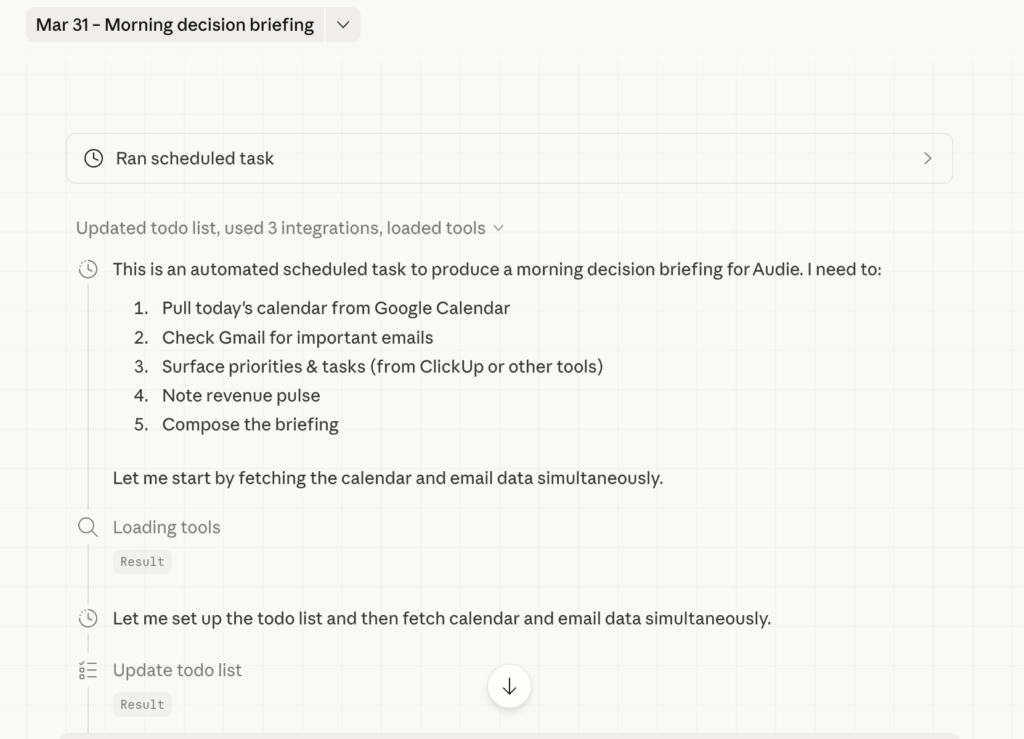
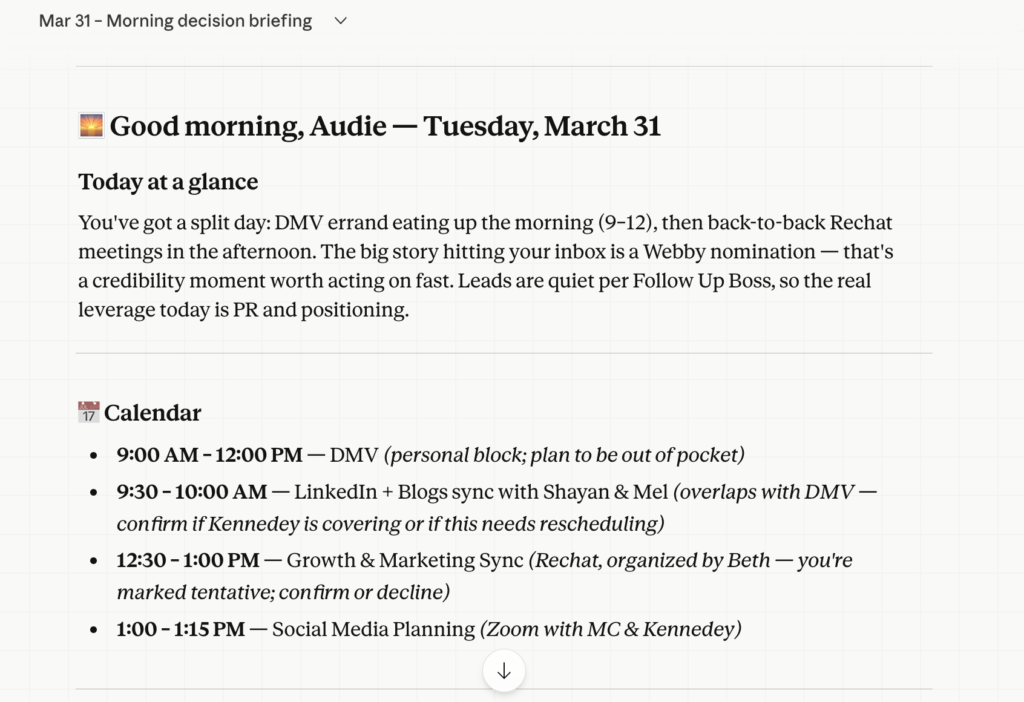
Every morning, my chief of staff reviews the systems I connected and creates a briefing that pulls together:
- My top priorities for the day
- Key emails that need attention
- Action items and deliverables
- Calendar context
- Deadlines that could slip if I ignore them
This is the kind of signal that can take hours if you’re moving too fast. Instead of forcing me to go hunting across four or five different systems, my chief of staff brings it to me.
How to build your Claude Cowork chief of staff
Here is the step-by-step version of the setup:
Step 1: Upgrade to Claude Pro
My first step was upgrading my Claude subscription to gain access to Claude Cowork. Currently, it only works on Mac computers. I opted for the annual subscription and have since upgraded to Max, as I knew that I wanted it to assist in my routines, not as a one-off experiment.
Step 2: Connect the tools where your work lives
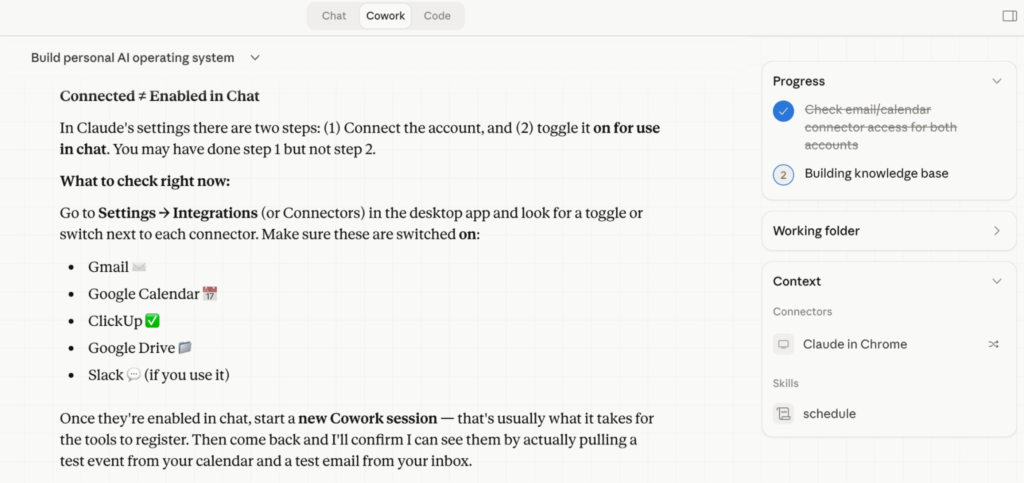
Inside Claude, under settings, connections allow you to connect the platforms you use every day. For me, that was:
- Gmail
- Google Calendar
- Slack
- ClickUp
- Google Chrome browser extension
This is the core. My inbox tells Claude what is coming at me. My calendar gives it context. Slack surfaces team communication and active threads. ClickUp shows deliverables, projects and deadlines. The Google Chrome extension gives Claude access to everything to do the work.
Step 3: Tell Claude what kind of chief of staff you want
This is where it gets interesting and customized to your work.
Don’t just connect your tools and hope the model figures it out. Tell it exactly what you want it to look for. The prompt does not need to be overly complicated. It just needs to be specific.
Here is a simple version you can adapt:
“Review my Gmail, calendar, Slack and ClickUp. Create a succinct morning briefing that tells me my top three priorities today, important emails that need a response, meetings I should prepare for, deadlines or deliverables at risk, and any action items that are blocked or waiting on me. Keep it clear, practical and concise.”
That will get you 80 percent of the way there.
Step 4: Ask for a fixed output format
A briefing is only useful if it is easy to scan.
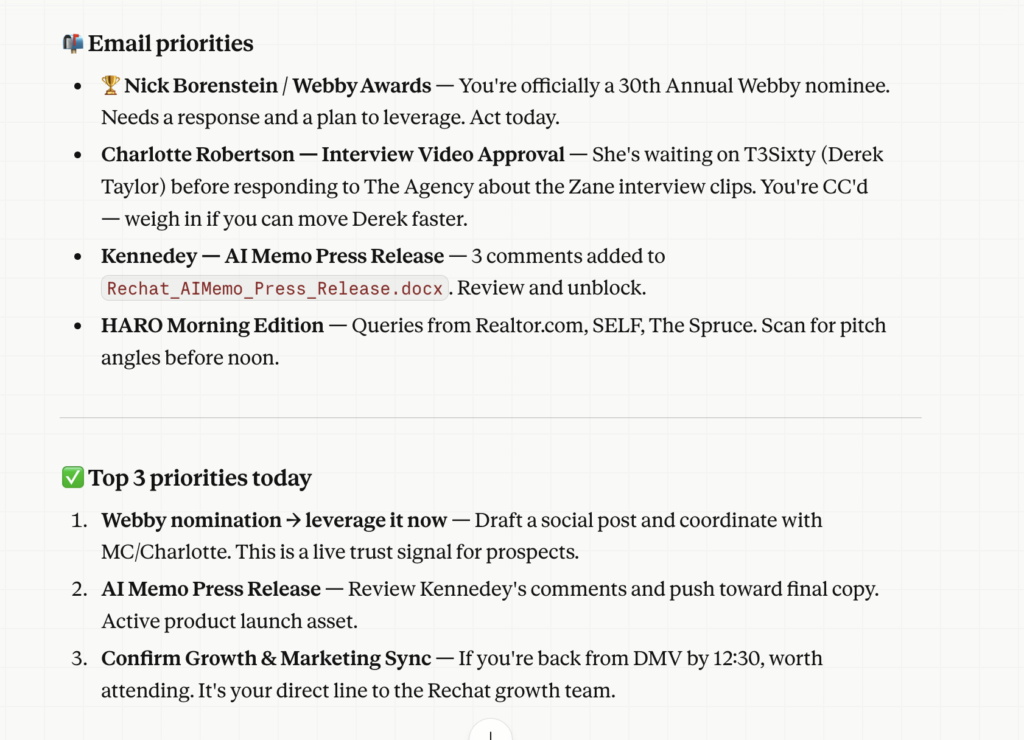
I trained Claude to organize mine into sections like:
- Top three priorities today
- Email priorities
- Calendar overview
- Deliverables and deadlines
- Recommended focus
That structure turns information into action. Top three priorities force a clear position. Email priorities separate signals from noise. Deliverables keep revenue-generating work visible. Recommended focus tells me where to start. That last one is highly valuable; the answer usually surprises me.
Step 5: Refine it after a few mornings
Your first version does not need to be perfect. Use it for a few days, then tighten it.
Maybe it is surfacing too many emails. Maybe it is missing your urgency for follow-ups. Maybe it needs to emphasize client communication more. Maybe it should prioritize listing appointments, contract deadlines, pending deals or team follow-ups.
That is normal. Think of this like onboarding a new chief of staff. You are not looking for perfection on day one. You are expanding your team.
Step 6: Make it part of your morning routine
This is where the value compounds. Do not build it, admire it and forget about it.
Use it every morning. Read the briefing before you open your inbox. Before you start reacting. Before Slack hijacks your morning. Before the day turns into other people’s priorities.
That is the habit that makes this useful. Not only do I see the briefing in Claude, but I cc a copy to my Slack just in case I go in there first.
What real estate pros should build next
Once you have the basic version working, you can go further.
An agent could build a version that looks for new leads, showing requests, price reduction opportunities, client follow-ups, listing presentation prep, contract deadlines or open house tasks.
A team leader could build one around agent performance, pipeline movement, recruiting conversations, marketing deliverables or urgent team communication.
A brokerage executive could build one for strategic priorities, partner communication, executive meetings, department blockers or key projects slipping behind.
The exact tools you are connecting may vary, but the principle is the same: Connect your systems, define what matters, and train your chief of staff to brief you.
The briefing is where it starts. But the same connections that power it can go further. Your chief of staff can draft replies to flagged emails and save them to Gmail for your review before you hit send. It can accept meeting invitations on your behalf. You go from being informed to being ahead. Our AI agent Lucy does many of these tasks for agents and their admins daily.
For the past few years, the AI conversation in real estate has centered on content. Write this. Summarize that. Draft a caption. Clean up an email. That is useful. This is the tip of the iceberg.
The bigger opportunity is operational.
When AI can read across your tools, understand what matters, and deliver a clear briefing before your day begins, you stop using it like Google and start using it like an additional team member.
The morning briefing was my entry point. My chief of staff does not just inform me. It acts.
Looking for more great resources? Check out Anthropic Academy and The AI Daily Brief.
 May marks Inman’s seventh annual Agent Appreciation Month. Look for profiles of top producers, opinions on the current state of the industry and tangible takeaways you can implement in your career today. Plus, the prestigious Future Leaders of Real Estate Awards return.
Audie Chamberlain is Vice President of Strategic Growth and Communications at Rechat and founder at Lion & Orb. Get connected on LinkedIn.