
Geeky Gadgets
The Latest Technology News
By 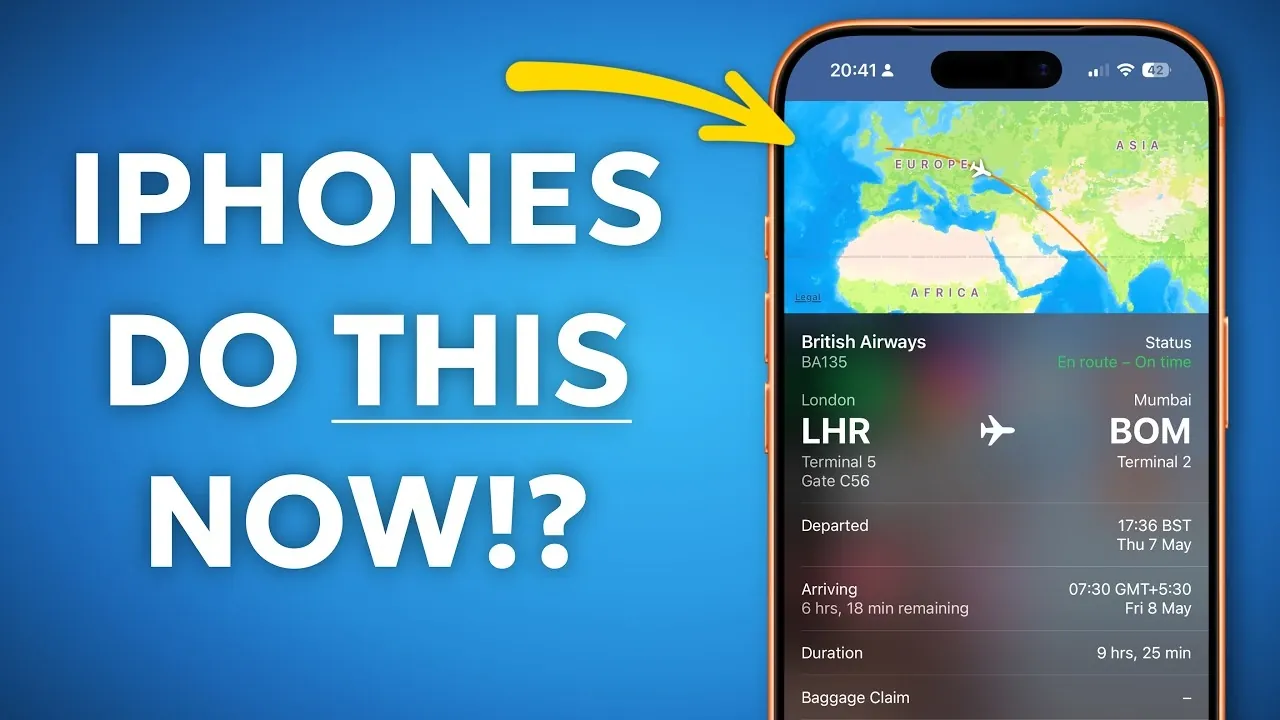
Your iPhone is more than just a communication device; it’s a versatile tool equipped with features that can simplify your daily life. While you may already be familiar with its core functionalities, there are several lesser-known capabilities that can enhance your productivity and streamline your tasks. Here are ten hidden iPhone features you can start using today to unlock its full potential in a new video from Proper Honest Tech.
Your iPhone allows you to annotate web pages directly in Safari using its built-in markup tools. You can highlight text, add notes, or even draw on the screen while browsing. Once your annotations are complete, you can save the page as a PDF and share it with others. This feature is particularly useful for research, collaboration, or keeping track of important information. Highlighting key points or adding visual notes can make your work more organized and accessible.
Managing notifications effectively can help you stay focused. By swiping left on a notification in the Notification Center, you can mute or disable alerts from specific apps. Additionally, the Focus mode allows you to customize notification settings based on your activities, such as work or relaxation. Reducing distractions ensures that you can prioritize what matters most and maintain a productive routine.
If you’re an Apple Music user, organizing your library has never been easier. Use the search bar or sorting options to filter your music by genre, artist, or recently added content. You can also create custom playlists for specific moods or events. Streamlining your music library saves time and ensures you always have the perfect soundtrack for any occasion.
The Calculator app has a hidden feature that allows you to view your recent calculations. Simply swipe down on the screen after performing a calculation to see previous results. This is especially helpful for double-checking your work or revisiting complex equations without starting over. Keeping track of your calculations can save time and reduce errors.
The Shortcuts app is a powerful tool for automating repetitive tasks. You can create shortcuts to perform actions like calling a specific contact, sending a pre-written message, or opening a frequently used app. Once created, these shortcuts can be added to your home screen for quick access. Customizing shortcuts allows you to save time and streamline your daily activities.
Forgotten a Wi-Fi password? Your iPhone makes it easy to retrieve stored passwords for previously connected networks. Navigate to your Wi-Fi settings, select the network and view the saved password. This feature is especially useful when sharing access with others or connecting a new device. Having quick access to passwords ensures seamless connectivity.
Turn important emails into actionable tasks by linking them to the Reminders app. Highlight the email text, tap the share icon and select “Reminders.” This creates a task with a direct link to the email, making sure you never miss a follow-up or deadline. Integrating emails with reminders helps you stay organized and on top of your commitments.
The Notes app allows you to create clickable hyperlinks for better organization. Highlight the text you want to link, select “Add Link,” and enter the URL. This feature is ideal for managing research, creating to-do lists, or sharing resources with others. Using hyperlinks in Notes makes it easier to access relevant information quickly.
Your iPhone’s Spotlight search can track flights effortlessly. Simply type the flight number into the search bar and you’ll see live updates on departure times, delays and gate information. This feature is invaluable for frequent travelers or when coordinating airport pickups. Real-time flight tracking ensures you stay informed and prepared.
With Apple’s built-in intelligence, you can perform reverse image searches directly on your iPhone. Use the Photos app to identify objects, landmarks, or text in photos. For older models, third-party apps like Google Lens can provide similar functionality. Reverse image searches are perfect for verifying image sources or gathering more information about a subject.
These ten features demonstrate the versatility of your iPhone, offering practical ways to simplify tasks and boost productivity. By exploring these tools, you can uncover new methods to stay organized, informed, and efficient. Experimenting with these hidden features can transform how you use your device, making it an even more valuable part of your daily routine.
Learn more about iPhone tips and tricks with other articles and guides we have written below.
Source & Image Credit: Proper Honest Tech
Disclosure: Some of our articles include affiliate links. If you buy something through one of these links, Geeky Gadgets may earn an affiliate commission. Learn about our Disclosure Policy.